Raycast에 대해서 알아볼 것이다.
차례
Cast
- Raycast
- DrawRay
- Layer 사용
- Ray
- RaycastHit
- RaycastAll
- RaycastNonAlloc
- SphereCast + (All , NonAlloc)
- Gizmos (번외)
- BoxCast + (All , NonAlloc)
- CapsuleCast + (All , NonAlloc)
Overlap
- OverlapSphere + (NonAlloc)
- OverlapBox + (NonAlloc)
- OverlapCapsule + (NonAlloc)
Check
- CheckSphere
- CheckBox
- CheckCapsule
QueryTriggerInteraction
Raycast : 선으로 충돌
Cast : 모양이으로 충돌
Overlap : 겹침 반환
Check : 겹침 여부 확인
Cast
Physics.Raycast
https://docs.unity3d.com/6000.3/Documentation/ScriptReference/Physics.Raycast.html
Physics.Raycast(Vector3 origin, Vector3 direction, float maxDistance);가장 기본적인 Raycast이며, 시작위치, 방향, 최대감지 거리로 구성된다.
기본적으로 bool형을 반환하게 된다. 충돌체가 있으면 true 없으면 false
Debug.DrawRay
https://docs.unity3d.com/6000.3/Documentation/ScriptReference/Debug.DrawRay.html
Raycast 는 기본적으로 게임 화면과 씬화면에서 보이지 않기 때문에,
DrawRay를 통해 시각화를 할 수있다. (Scene화면만)
Debug.DrawRay( Vector3 start , Vector3 dir , Color color = Color.white, float duration = 0.0f, bool depthTest = true);시작위치, 방향과 거리, 광선 색, 지속시간, 깊이조건으로 구성된다.
depthTest : 다른 오브젝트에 가려질 것인가 (bool형)
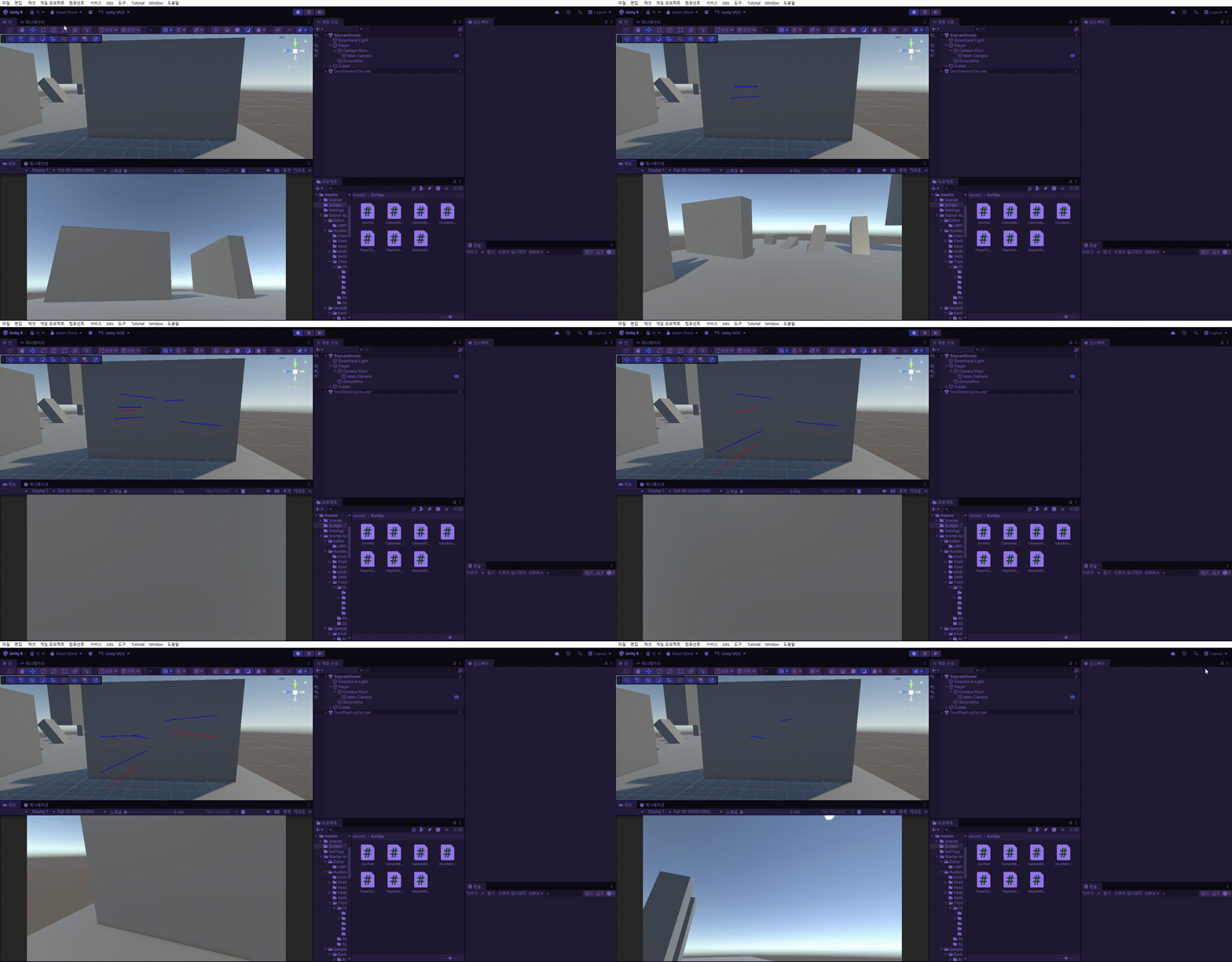
빨간 광선이 true, 파란광선이 false이다.
Physics.Raycast와 다른점은 방향과 길이를 묶는다는 점

Layer 필터링 사용하기
Physics.Raycast(transform.position, transform.forward, 5 , LayerMask.GetMask("Ground"));LayerMask.GetMask를 통해서 어떤 레이어를 감지할지 필터링 할수 있게한다.
Ray : 광선 데이터
https://docs.unity3d.com/6000.3/Documentation/ScriptReference/Ray.html
시작점과, 방향값을 가진다.
Ray ray;
    void Start()
    {
        ray = new Ray(transform.position, transform.forward);
    }
           Physics.Raycast(transform.position, transform.forward, 5);
           Physics.Raycast(ray,5);
따라서 아래 두 코드는 같다.
참고로 Debug.DrawRay에는 Ray를 사용할 수 없다.
Ray.GetPoint
Vector3 position = ray.GetPoint(5);Ray.GetPoint(float Distance)
Ray에서 거리까지 간 도착점의 위치를 반환한다.
RaycastHit : Raycast가 충돌체와 부딧혔을 때의 데이터
https://docs.unity3d.com/6000.3/Documentation/ScriptReference/RaycastHit.html
주요 프로퍼티
- RaycastHit.collider : 충돌한 충돌체
- RaycastHit.Object : 충돌한 오브젝트
- RaycastHit.point : 충돌한 위치
- RaycastHit.Distnace : Ray 시작점에서 충돌한 위치까지의 거리
- RaycastHit.normal : 충돌한 위치의 수직 방향벡터
- RaycastHit.rigidbody : 충돌한 오브젝트의 Rigidbody (존재한다면)
Out Hit : Ray에 맞는 충돌체의 정보를 가져올 수 있다.
Physics.Raycast(ray, out hit,5);

Physics.Raycast(transform.position, transform.forward, out hit, 5);
Vector3 시작점 , Vector3 방향 , out RaycastHit 충돌 데이터 , float 거리
Ray에 맞는 충돌체의 데이터를 RaycastHit에 저장할 수 있다.
여러개를 한 광선에 맞는다면 가장 가까운 충돌체의 데이터를 반환한다.
사용 예시
using UnityEngine;

public class RaycastManager : MonoBehaviour
{
    RaycastHit hit;
    Ray ray;

void Update()
    {
        ray = new Ray(transform.position, transform.forward);
        if (Input.GetMouseButtonDown(0))
        {
            if (Physics.Raycast(ray, out hit, 5))
            {
                Debug.Log(hit.transform.name);
            }

        }

    }
}
Ray가 충돌체와 닿았는지 if문으로 체크한 뒤, hit 데이터를 사용한다.

RaycastAll : 충돌한 모든 충돌체의 데이터들을 반환함
Ray에 닿는 모든 충돌체들의 데이터를 반환한다.
https://docs.unity3d.com/6000.3/Documentation/ScriptReference/Physics.RaycastAll.html
Raycast와 다른 점은 bool 반환이 아니라, RaycastHit[] 반환이라는 점이다.
RaycastHit[] hits = Physics.RaycastAll(ray, 5);

RaycastHit[] hits = Physics.RaycastAll(transform.position, transform.forward, 5);
사용법은 파라미터는 Raycast와 동일하게 시작점, 방향, 거리, layer로 사용하지만 Out hit를 따로 사용하지 않는다.
RaycastAll은 거리 순 정렬이 보장되지 않는다.
사용예시
using UnityEngine;

public class RaycastManager : MonoBehaviour
{
    Ray ray;

    void Update()
    {
        ray = new Ray(transform.position, transform.forward);
        if (Input.GetMouseButtonDown(0))
        {
            RaycastHit[] hits = Physics.RaycastAll(ray, 5);
            Debug.DrawRay(transform.position, transform.forward * 5,Color.white,1);

            foreach(RaycastHit hit in hits)
            {
                Debug.Log(hit.transform.name);
            }
        }

    }
}
hits에 광선에 부딧힌 모든 충돌체 데이터를 담고 foreach로 배열을 사용한다.

RaycastNonAlloc : Raycast처럼 여러개를 감지하지만, 배열을 생성하지 않는다.
https://docs.unity3d.com/6000.3/Documentation/ScriptReference/Physics.RaycastNonAlloc.html
RaycastNonAlloc(Vector3 origin , Vector3 direction , RaycastHit[] , float distance)로 사용한다.
RaycastHit[] hits = new RaycastHit[5];
Ray ray;


int result = Physics.RaycastNonAlloc(ray, hits, 5);
int 형으로 Ray에 닿은 충돌체의 개수를 반환한다.
미리 배열의 크기를 정해줘야 한다.
Garbage를 생성하지 않기 때문에 최적화에 용이하다.
사용 예시
using UnityEngine;

public class RaycastManager : MonoBehaviour
{
    RaycastHit[] hits = new RaycastHit[5];
    Ray ray;

    void Update()
    {
        if (Input.GetMouseButtonDown(0))
        {
            ray = new Ray(transform.position, transform.forward);

            int result = Physics.RaycastNonAlloc(ray, hits, 5);
            Debug.DrawRay(transform.position, transform.forward * 5,Color.white,1);

            for(int i = 0; i < hits.result; i++)
            {
                Debug.Log(hits[i].transform.name);
            }
        }

    }
}
result로 배열에 담긴 충돌체의 개수를 파악한뒤 for문으로 담긴 만큼만 사용한다.
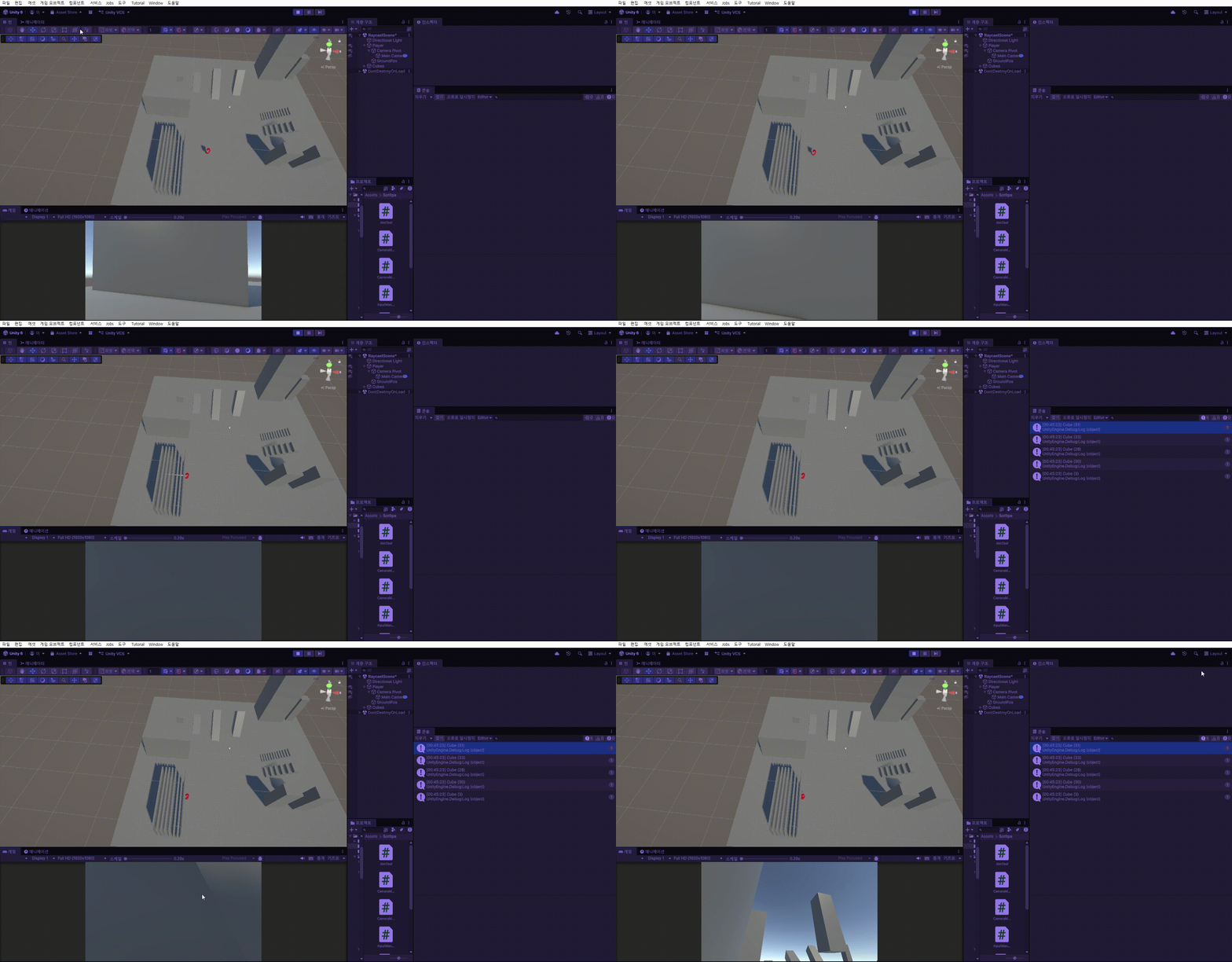
SphereCast : 광선에 따라 구체를 투사하여 충돌체를 감지한다.
https://docs.unity3d.com/6000.3/Documentation/ScriptReference/Physics.SphereCast.html
Raycast와 마찬가지로, bool 값을 반환한다.
Physics.SphereCast(Vector3 origin, float radius, Vector3 direction, out RaycastHit hit, float maxDistance);- origin : 시작 위치
- radius : 구의 반지름
- direction : 이동 방향
- RaycastHit : 충돌 데이터
- maxDistance : 이동 거리
사용할 때 주의해야 할 점은 구체와 겹치는 충돌체는 감지하지 못한다.
SphereCastAll : 충돌한 모든 충돌체의 정보들을 반환함
SphereCastNonAlloc : SphereCastAll처럼 여러 충돌체를 반환하지만 배열을 생성하지 않는다.
Gizmos : Scene 뷰에서 디버깅 용으로 사용하는 시각적 그래픽
https://docs.unity3d.com/kr/2021.3/ScriptReference/Gizmos.html
Sphere같은 경우 Raycast의 DrawRay처럼 디버깅 용이 따로 존재하지 않기 때문에 Gizmos를 사용한다.
OnDrawGizmos 함수에서
    private void OnDrawGizmos()
    {
        Gizmos.color = Color.white;
        Gizmos.DrawWireSphere(transform.position, 1);
        Gizmos.DrawWireSphere(transform.position + transform.forward * 5, 1);
    }
Gizmos 코드를 작성할때에는 OnDrawGizmos 함수 내에서 작성해야한다.
OnDrawGizmos 함수는 Scene 뷰를 그려야 할때 계속해서 실행된다. (에디터 상태일때 포함)
DrawWireSphere는 테두리만 있는 원을 그리는 함수이다.
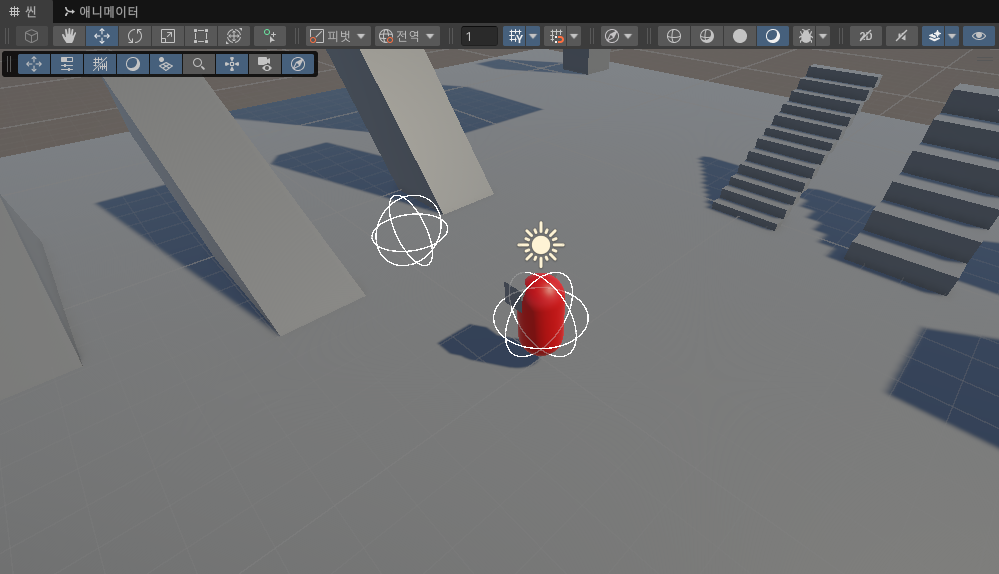
SphereCast 예시 사용
using UnityEngine;

public class RaycastManager : MonoBehaviour
{
    RaycastHit hit;
    Ray ray;

    void Update()
    {
        if (Input.GetMouseButtonDown(0))
        {
            ray = new Ray(transform.position, transform.forward);

            if (Physics.SphereCast(ray, 1, out hit, 5))
            {
                Debug.Log(hit.transform.name);
            }
        }

    }
    private void OnDrawGizmos()
    {
        Gizmos.color = Color.white;
        Gizmos.DrawWireSphere(transform.position, 1);
        Gizmos.DrawWireSphere(transform.position + transform.forward * 5, 1);
    }
}
if문으로 hit에 충돌체 데이터가 들어갔는지 판단한 뒤, 충돌체의 이름을 출력한다.
Gizmos를 통해 Scene 뷰에서 시각적으로 볼 수 있다.
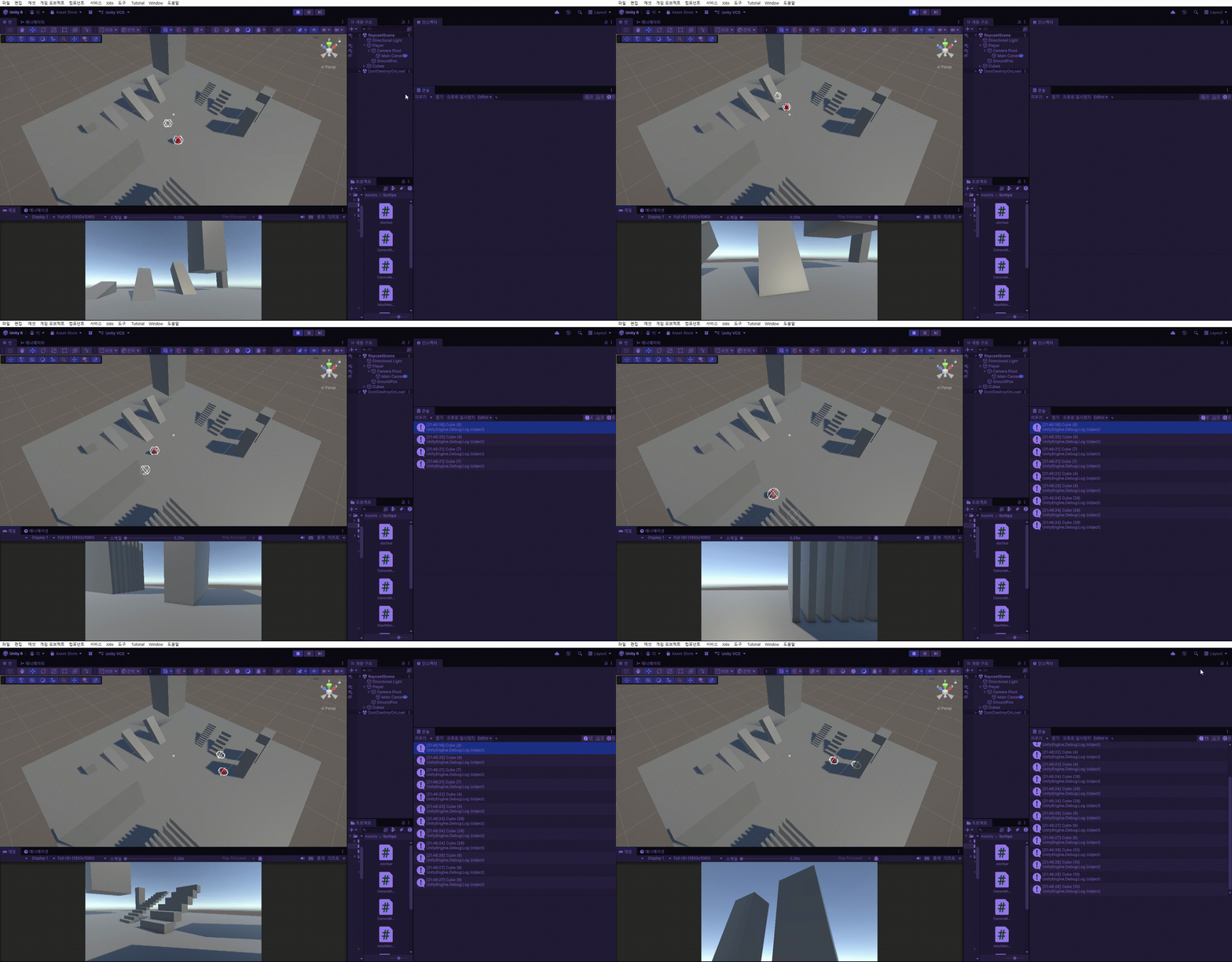
BoxCast : 광선을 따라 박스를 투사하여 충돌을 검사
https://docs.unity3d.com/6000.3/Documentation/ScriptReference/Physics.BoxCast.html
Physics.BoxCast(Vector3 center , Vector3 halfExtents , Vector3 direction , out RaycastHit hit, Quaternion orientation, float maxDistance);bool 형을 반환한다.
center : 상자의 중앙
halfExtents : 상자 각 변의 길이의 절반
direction : 이동 방향
hit : 충돌체 데이터
orientation : 상자의 회전
maxDistance : 이동 거리
BoxCastAll : 충돌한 모든 충돌체 검사
BoxCastNonAlloc : 배열 생성 X
CapsuleCast : 캡슐 모양을 밀어서 충돌 검사
https://docs.unity3d.com/6000.3/Documentation/ScriptReference/Physics.CapsuleCast.html
Physics.CapsuleCast( Vector3 point1 , Vector3 point2 , float radius , Vector3 direction , out RaycastHit hit, float maxDistance);bool 형 반환
point1 : 위쪽 끝점
point2 : 아래쪽 끝점
radius : 반지름
direction : 이동 방향
hit : 충돌체 데이터
maxDistance : 이동 거리
CapsuleCastAll : 충돌한 모든 충돌체 검사
CapsuleCastNonAlloc : 배열 생성 X
Overlap
OverlapSphere
https://docs.unity3d.com/6000.3/Documentation/ScriptReference/Physics.OverlapSphere.html
구체에 닿아있거나, 겹쳐있는 모든 충돌체를 반환한다. (Collider[]형)
Physics.OverlapSphere ( Vector3 position , float radius);
OverlapSphereNonAlloc
https://docs.unity3d.com/6000.3/Documentation/ScriptReference/Physics.OverlapSphereNonAlloc.html
구체에 닿거나, 겹쳐있는 모든 충돌체를 계산하여 results에 넣은 후, 넣은 개수를 반환한다. (int형)
Physics.OverlapSphereNonAlloc ( Vector3 position , float radius , Collider[] results);OverlapBox
박스에 닿아있거나, 겹쳐있는 모든 충돌체를 반환한다. (Collider[]형)
Physics.OverlapBox ( Vector3 center , Vector3 halfExtents , Quaternion orientation);OverlapBoxNonAlloc
OverlapCapsule
캡슐에 닿아있거나, 겹쳐있는 모든 충돌체를 반환한다. (Collider[]형)
Physics.OverlapCapsule(Vector3 point0, Vector3 point1, float radius);OverlapCapsuleNonAlloc
Check
CheckSphere
https://docs.unity3d.com/6000.3/Documentation/ScriptReference/Physics.CheckSphere.html
구체와 닿아있거나 안에있는 충돌체의 여부 확인 (bool형 반환)
Physics.CheckSphere(Vector3 position, float radius);
CheckBox
구체와 닿아있거나 안에있는 충돌체의 여부 확인 (bool형 반환)
Physics.CheckBox(Vector3 center, Vector3 halfExtents, Quaternion orientation);
CheckCapsule
구체와 닿아있거나 안에있는 충돌체의 여부 확인 (bool형 반환)
Physics.CheckCapsule(Vector3 start, Vector3 end, float radius);
QueryTriggerInteraction
Cast, Overlap, Check 함수들에서 사용할 수있는 프로퍼티이다.
충돌체 중 Trigger 상태의 충돌체를 포함할지, 안할지를 설정할 수있다.
QueryTriggerInteraction.UseGrobal (기본값)
프로젝트 세팅값을 따른다.
사용 예시
Physics.Raycast(ray, out hit, 5, LayerMask.GetMask("Ground"), QueryTriggerInteraction.UseGlobal);QueryTriggerInteraction.Ignore
Trigger 상태의 충돌체는 무시한다.
QueryTriggerInteraction.Collide
Trigger상태의 충돌체도 충돌 대상으로 포함한다.
'Unity > Tutorial' 카테고리의 다른 글
| [Unity] 그래픽 UI (Text, Image, Raw Image, Panel) (0) | 2026.03.02 |
|---|---|
| [Unity] Canvas (UI 시스템) (0) | 2026.03.01 |
| [Unity] Cinemachine (심화) (0) | 2026.02.27 |
| [Unity] Cinemachine (응용) (0) | 2026.02.25 |
| [Unity] Cinemachine (기초) (0) | 2026.02.24 |