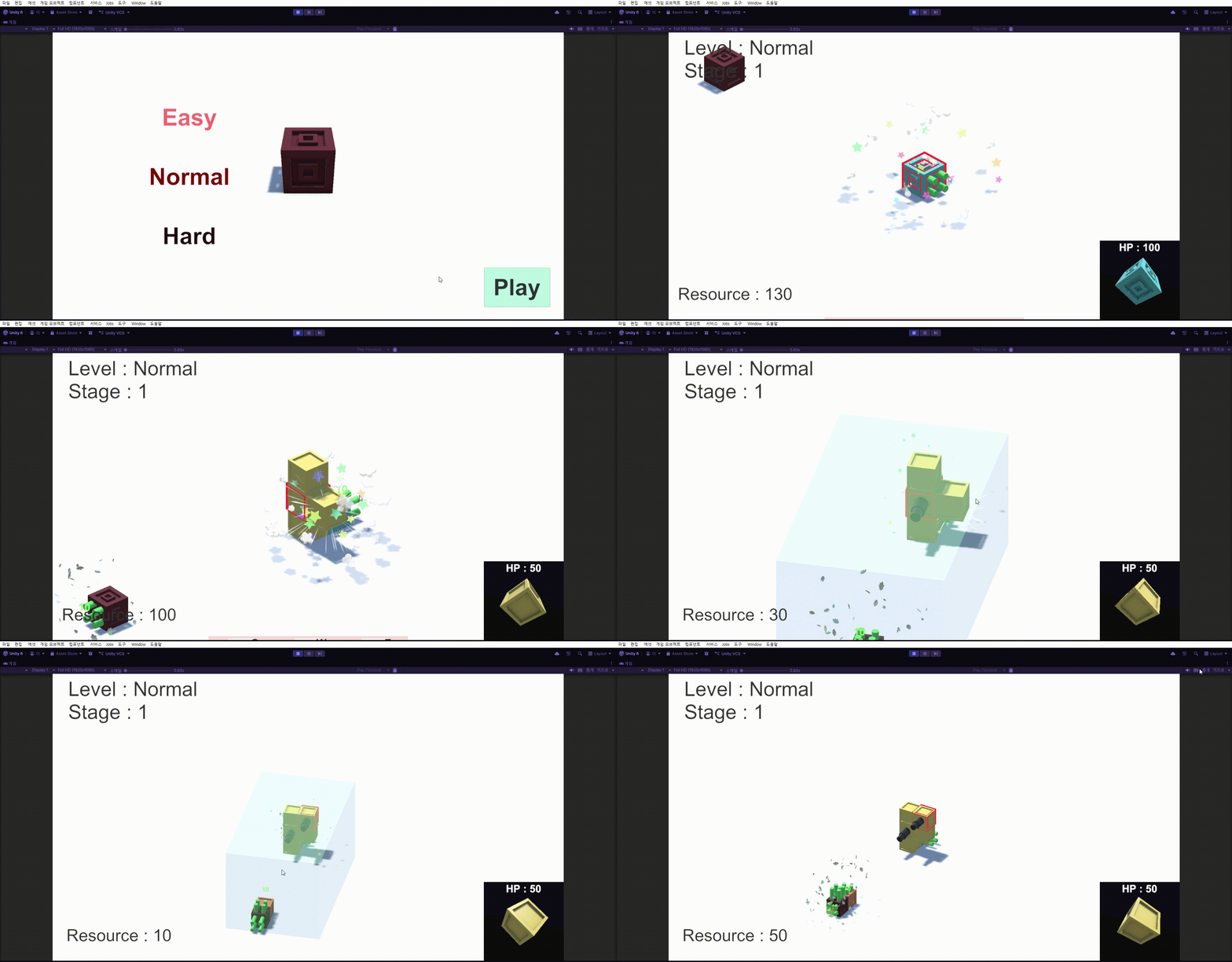
자원을 생산할 때,블럭을 생성할 때, 데미지가 들어갈때, 큐브가 파괴되었을 때의 이펙트를 넣을 것이다.
이펙트를 유니티 에셋에서 가져와 사용할 것이므로, 이펙트의 생성에 대해서 구현하면 될 것 같다.
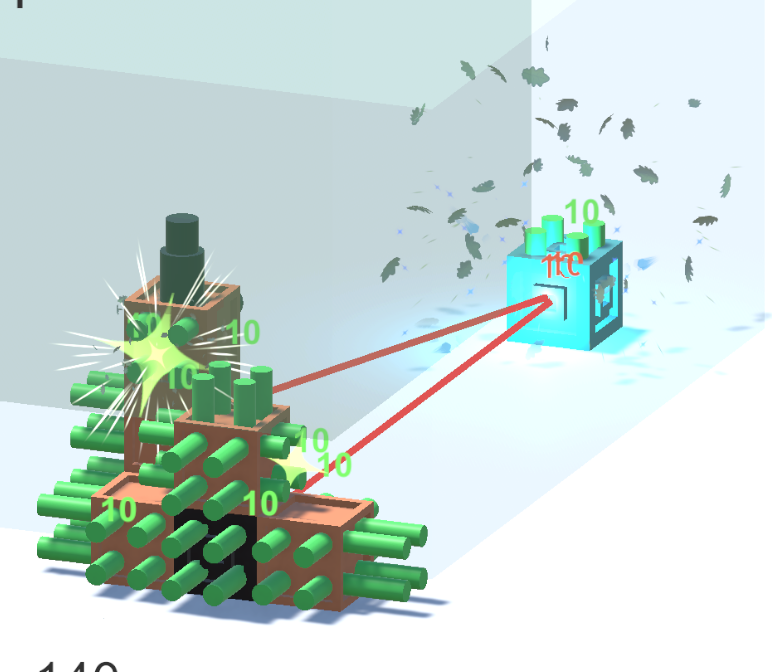
사용한 에셋 :https://assetstore.unity.com/packages/vfx/particles/cartoon-fx-remaster-free-109565
라이선스 : Standard Unity Asset Store EULA
파티클 찾기
파괴, 생성, 타격, 생산
CFXR Hit A (Red) - 적 코어 타격
CFXR3 Hit Misc A - 일반 큐브 타격
CFXR4 Sword Hit ICE (Cross) - 플레이어 코어 타격
CFXR3 Fire Explosion B - 큐브 파괴
CFXR3 Hit Leaves A (Lit) - 자원 생산
CFXR Magic Poof - 블럭 생성
EffectManager
이펙트를 생성하는 스크립트를 만들어 이펙트 생성시스템을 구현한다.
using UnityEngine;

public class EffectManager : MonoBehaviour
{

    private static EffectManager instance;
    public static EffectManager Instance { get { return instance; } }
    private void Awake()
    {
        if(instance == null)
        {
            instance = this;
            DontDestroyOnLoad(gameObject);
        }
        else
        {
            Destroy(gameObject);
        }
    }
    public void PlayParticle(GameObject paticle, Vector3 pos)
    {
        Instantiate(paticle, pos, Quaternion.identity);
    }
}
싱글톤으로 쉽게 접근할 수 있게 한다.
PlayParticle함수를 통해서 생성 이펙트와 생성 위치를 통해 이펙트를 생성한다.
타격 이펙트 구현하기
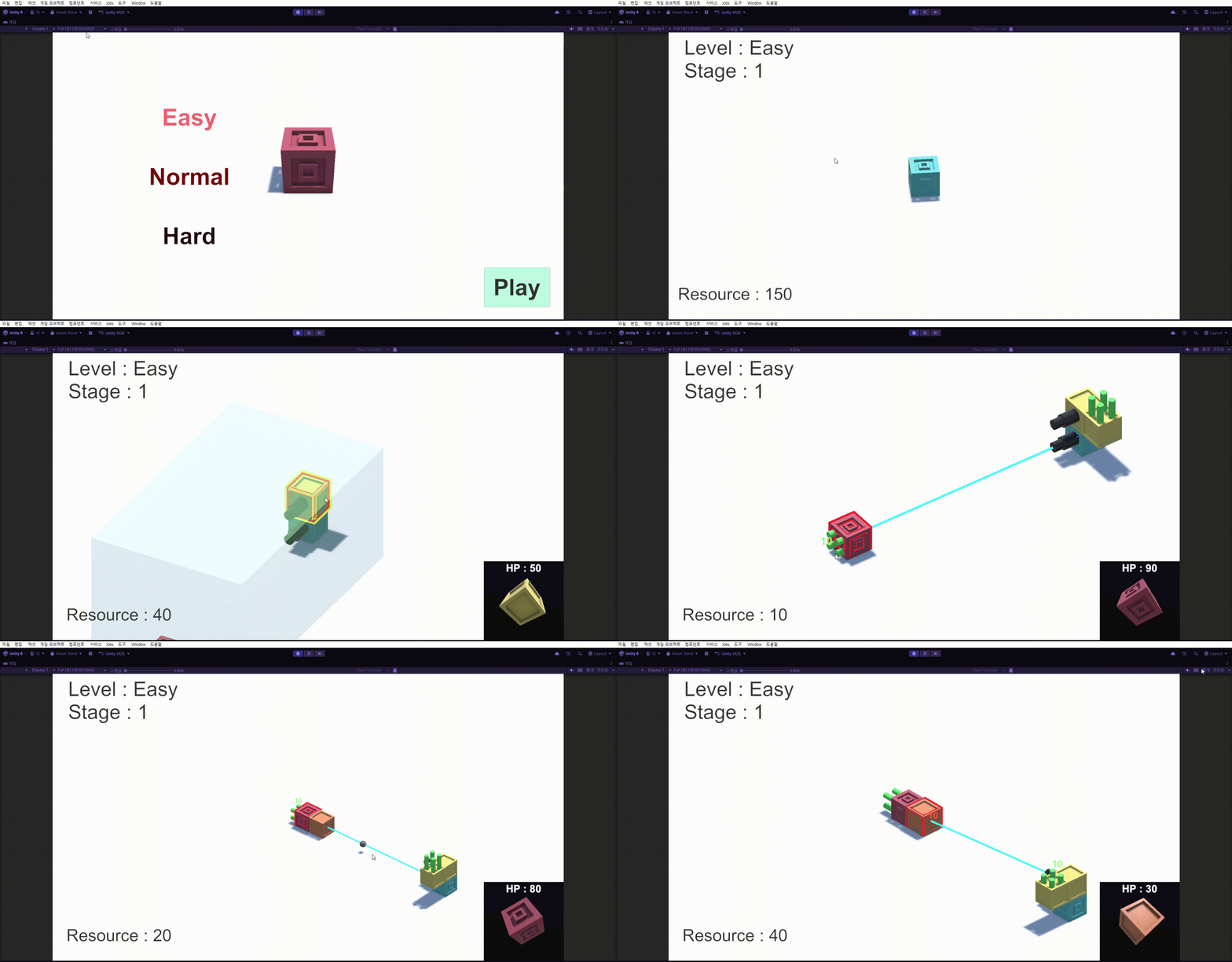
충돌하는 CannonBall에서 충돌체의 함수를 호출하여, 충돌체마다 다른 이펙트가 나오도록 하였다.
Cube
        [SerializeField] GameObject onDamagePati; // 충돌시 실행될 파티클

    public void DamageEffect(Vector3 pos)
    {
        EffectManager.Instance.PlayParticle(onDamagePati,pos);
    }
각 Cube마다 다른 이펙트를 가지고 있고, 데미지를 받았을때, 해당 충돌 위치에 파티클을 생성하는 식으로 진행된다.
CannonBall
    private void OnTriggerEnter(Collider other)
    {
        // Debug.Log("충돌");
        Cube contactCube = other.gameObject.GetComponent<Cube>();
        if (contactCube != null)
        {
            // Debug.Log(contactCube.gameObject.name);
            contactCube.OnDamage(damage); // 닿은 큐브의 체력 감소

            contactCube.DamageEffect(transform.position); // 충돌 이펙트 주기

            GameObject popUpText = Instantiate(onDamagePopUp_T, transform.position, Quaternion.identity);
            popUpText.GetComponent<PopUpText>().TextSetUp(damage);

            Destroy(gameObject);
        }

        if(other.gameObject.layer == wallIndex)
        {
            Destroy(gameObject);
        }
    }
CannonBall에서 충돌체와 충돌했을 때, 따로 충돌체를 검사하지 않고, 함수를 호출시키는 Loose Coupling 방식을 사용해 보았다.
충돌위치를 매개변수로 넘긴다.
완성본
파괴 이펙트 구현하기
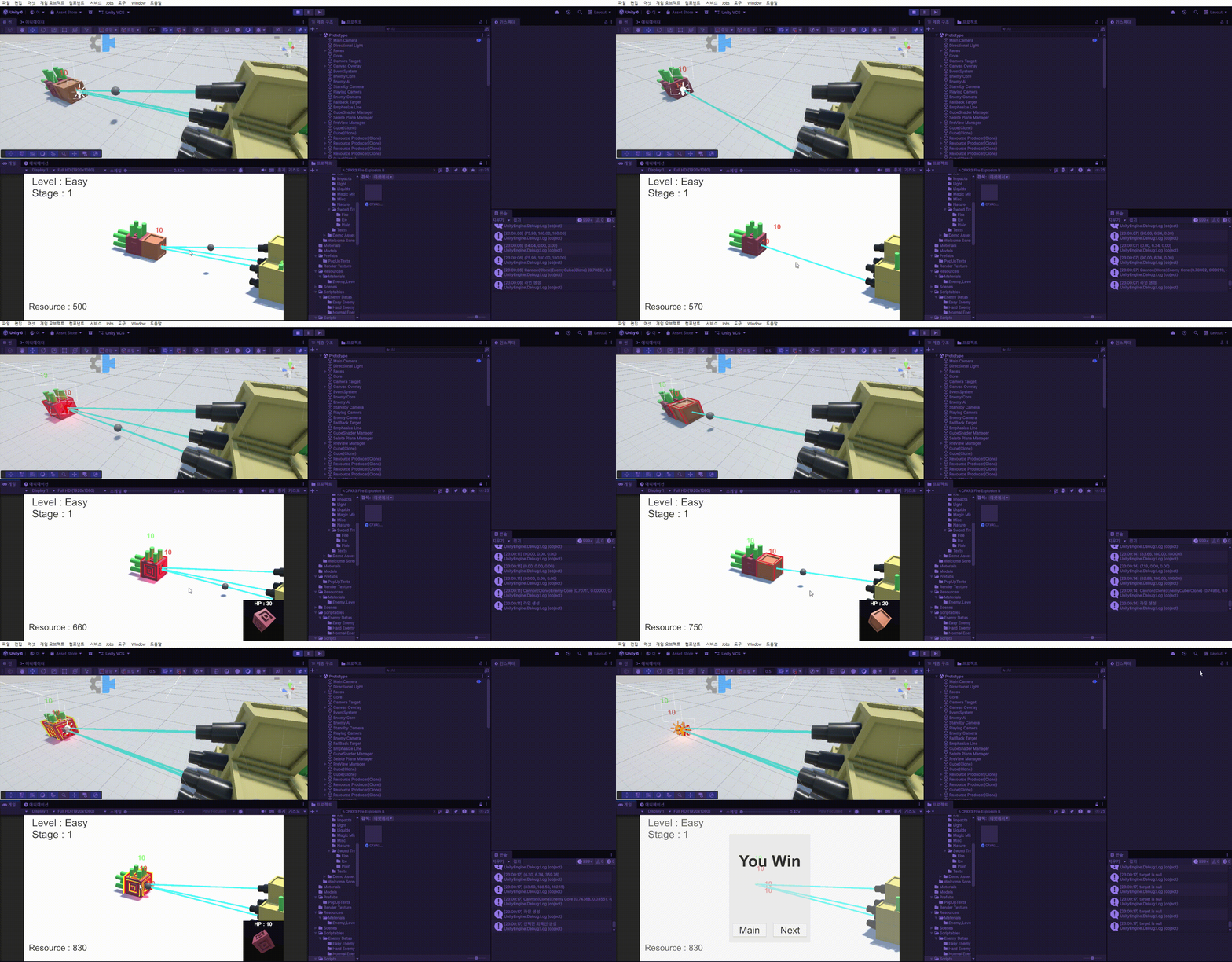
Cube 스크립트에서 파괴될 때, 실행되는 함수에 파괴 이펙트를 실행하는 코드를 넣어 구현한다.
    [SerializeField] GameObject onDestroyPati; // 파괴시 실행될 파티클

    void OnDelete() // hp가 0이하 되었을 때 사라지는 하무
    {
        Debug.Log(gameObject.name + "사라짐");
        EffectManager.Instance.PlayParticle(onDestroyPati, transform.position); // 파괴 이펙트 실행
        CubeDissapear?.Invoke();
        isdead = true;
        CubeCreator.Instance.DeleteBlock(this, myCaster);
        // Destroy(gameObject);
    }
이후 프리팹에서 모든 큐브,코어에 파괴 이펙트를 넣어준다.
결과
자원 생산 이펙트 구현하기
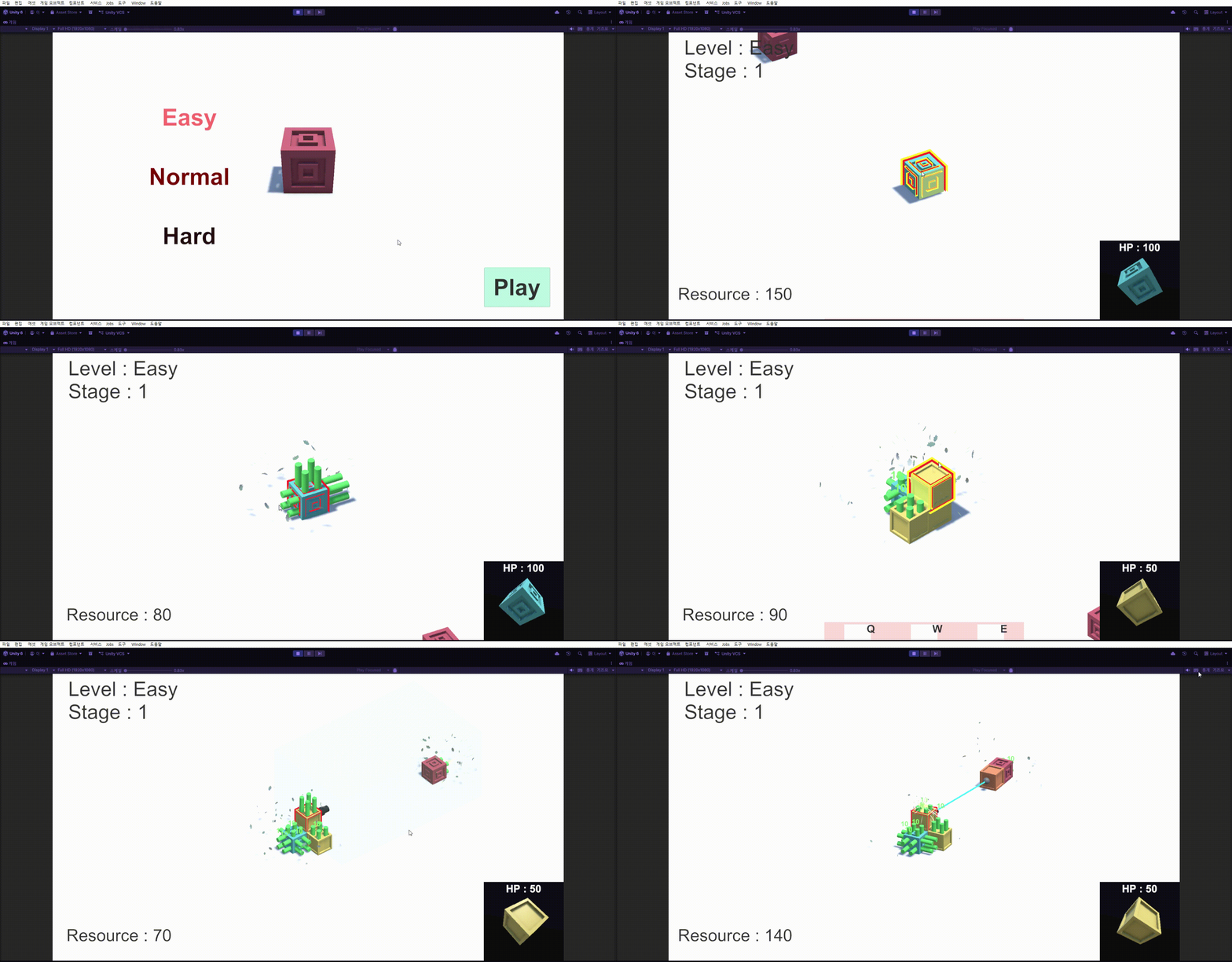
ResourceProducer 스크립트에서 자원을 생산할 때, 이펙트 생성을 호출시킨다.
       [SerializeField] GameObject resourcePati; // 생산될때 이펙트

   IEnumerator Produce() // 자원을 생산한다.
    {
        for(int i = 0; i < repeatNum; i++)
        {
            yield return new WaitForSeconds(delayTime);
            float upYPos = 0.75f / repeatNum;
            Vector3 currentPos = transform.position + transform.up * upYPos;
            transform.position = currentPos;
        }

        GameObject popUpText = Instantiate(resourcePopUp_T, transform.position,Quaternion.identity);
        popUpText.GetComponent<PopUpText>().TextSetUp(resourceValue);

        EffectManager.Instance.PlayParticle(resourcePati, transform.position); // 생산 파티클 생성

        myCaster.totalResource += resourceValue;
        // GameManager.Instance.totalResource += resourceValue;
        transform.position = initialPos;
        StartCoroutine(Produce());
    }
이후 자원생산자 프리팹에서 사용할 이펙트를 연결시켜준다.
결과
Block 생성 이펙트 구현하기
블럭이 생성될때, 생성 이펙트를 구현하면 좋을 거 같아 구현하기로 했다.
직접적인 생성 관리를 하는 CubeCreator 스크립트에서 구현했다.
       [SerializeField] GameObject blockPati; // 블럭 생성 이펙트

   void DefinePos(Vector3 dir, Transform cube, GameObject prefab, Block blockType) // 오브젝트를 설치하고 나서, 위치 잡기
    {
        // Debug.Log(dir);
        prefab.GetComponent<Block>().worldPosition = cube.GetComponent<Block>().worldPosition + dir; // 코어 기준 위치 잡기
        posList.Add(prefab.GetComponent<Block>().worldPosition); // 리스트에 위치 추가
        blockList.Add(blockType); // 블럭 타입 넣기
        Debug.Log(prefab.GetComponent<Block>().worldPosition);

        EffectManager.Instance.PlayParticle(blockPati, prefab.transform.position); // 생성 이펙트
    }
Block이 생성될때, 위치를 잡는 함수에서 이펙트를 처리하여, 모든 생성 코드(큐브,자원자,대포)에서 호출될 수 있도록 한다.
이후 씬에 있는 CubeCreator Manager에 사용할 이펙트를 넣어준다.
결과
'GameDev > Cubidom' 카테고리의 다른 글
| Cubidom - SFX 넣기 1 (0) | 2026.04.20 |
|---|---|
| Cubidom - BGM 넣기 (0) | 2026.04.18 |
| Cubidom - 블렌더 오브젝트 시스템 연결시키기 및 버그수정 (1) | 2026.04.14 |
| Cubidom - 블렌더 큐브 오브젝트 가져오기 (0) | 2026.04.11 |
| Cubidom 카메라 버그, 맵 배경, 선택 UI 수정 (0) | 2026.04.05 |